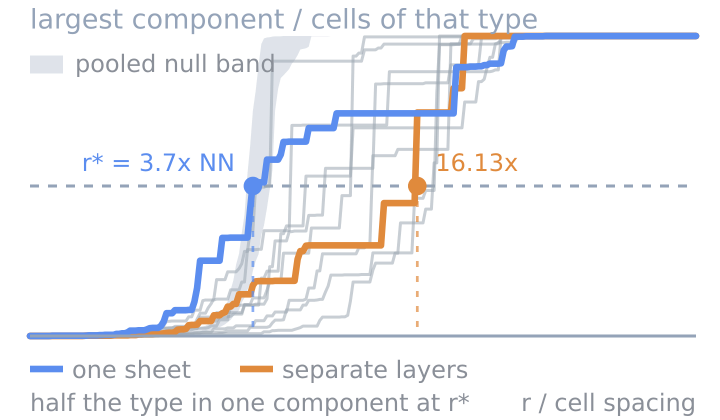
Cell-Type Percolation
Whether a cell type is one connected mass or many islands.
Verified: passed 9 of 9 gates
v1.0.0
4 downloads

by PointillViz community tools
How clustered each cell type is, at every length scale.
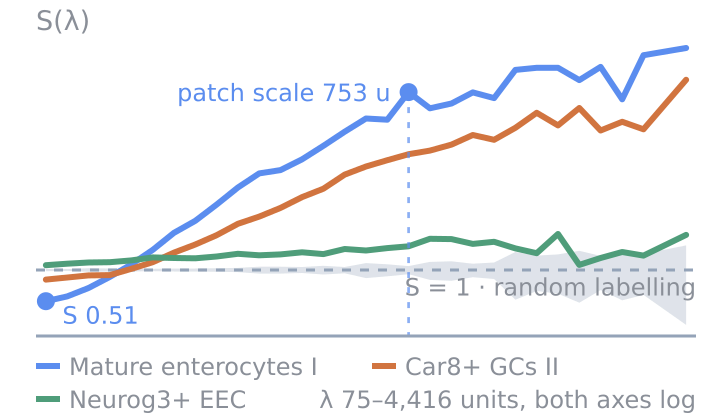
Answers the question: At which spatial scales is each population organized into regular patterns, small patches, or large territories?
The tool describes the spatial distribution of a population as a combination of waves of different sizes and shows at which wavelengths its spatial patterns are strongest.
To describe these patterns mathematically, the tool applies a Fourier transform. For each population and wavevector , it calculates the following complex coefficient:
Here, if cell belongs to population , and for all other labelled cells. is the overall proportion of population , and is the position of cell . This term represents a spatial wave at that position. Its direction and wavelength are determined by , while the available values of depend on the selected binning resolution . For each section, the cells are placed on a square grid of physical side length , giving:
where and .
Map. An inverse Fourier transform of all coefficients would reconstruct the complete mean-centered population field. Instead, the map reconstructs only the wavelength band containing the automatically determined patch scale, defined as the first wavelength at which the spectrum reaches halfway between and its long-wavelength plateau:
Each cell receives the reconstructed signal at its position, normalized by the average number of cells per occupied grid bin: . Warm colors indicate positions where the retained waves combine into a positive signal, cool colors indicate a negative signal, and values near zero appear neutral.
Plot. The plot shows how strongly population is spatially organized at each wavelength . The x-axis shows wavelength on a logarithmic scale, while the y-axis shows the normalized spatial power . A value of is expected when the population labels are randomly distributed over the observed cell positions. Values above 1 indicate stronger spatial patterns, such as patches or large territories, while values below 1 indicate a more even arrangement. Each colored line represents one population, and the grey band shows the variation obtained from random label redistributions.
More specifically, the tool normalizes the squared magnitude of each Fourier coefficient and then averages waves with similar wavelengths across directions:
Here, accounts for the observed cell arrangement, for population abundance, and is the number of Fourier modes in wavelength shell .
Table. Each row represents one population. S short measures spatial organization across the shortest resolved wavelengths, while S long measures it across the longest. Patch scale marks the wavelength where lies halfway between 1 and its long-wavelength level and determines the wavelength band used for the map. Spectral exponent describes how changes toward longer wavelengths, with negative values indicating increasingly strong spatial organization at larger scales. When the real-space check is enabled, Var / Var_null compares the observed variation in population counts across spatial windows with the random-label expectation, while alpha describes how quickly this variation grows as the window size increases.
Torquato, S. (2018). Hyperuniform states of matter. Physics Reports 745, 1-95.
| Parameter | Type | Default | What it does |
|---|---|---|---|
Grouping columnfield |
categorical_field | optional | Selects the annotation used to define the populations. Defaults to the dataset’s cell-type column. |
Population to mapfocus |
category_value | optional | Selects the population shown in the map. This does not change the plot or table. Defaults to the most abundant population that meets the minimum cell count. |
Minimum cells per populationmin_cells |
int, 20–5,000 | 200 | Sets the minimum number of cells required for a population to receive its own table row and spectrum. |
Binning resolutiongrid |
select, 4 options | 1024 x 1024 | Sets the G × G grid used for the Fourier transform. Higher resolutions can show shorter wavelengths but require more memory and runtime. |
Real-space checkreal_space |
bool | on | Also measures cell-count variation in spatial windows as an independent check on the spectrum. This adds Var / Var_null and alpha to the table. |
Null permutationsn_perms |
int, 2–20 | 3 | Sets how many random label redistributions are used to estimate the grey null band. |
The nine gates this version passed when it was published.
Passed 9 of 9 gates
bundle
pass
4 files, 22.7 kB packed and 62.4 kB unpacked, plugin.json at the root.
manifest
pass
spatial-scale-spectrum 1.1.0 by PointillViz community tools; entry tool.py, outputs summary, cells, series, table, 300 s and 4096 MB budget.
entry
pass
tool.py imported in 0.20 s and defines run(ds, params).
imports advisory
pass
1 Python file, importing __future__, backend, gc, hashlib, numpy, os, scipy; no network, subprocess, filesystem-write, dynamic-exec or environment use found.
fixture
pass
ran on the 600-cell fixture in 0.45 s of its 300 s budget, returning summary, cells, table, series.
result
pass
returned the declared outputs: summary, cells, table, series.
determinism
pass
two runs with identical parameters produced byte-identical results (10.9 kB of JSON).
edge
pass
ran at the minimum corner (grid='256', min_cells=20, n_perms=2, real_space=False) in 0.32 s; ran at the maximum corner (grid='2048', min_cells=5000, n_perms=20) in 1.48 s.
no_mutation
pass
the fixture dataset's 4 files are byte-identical after every run (plugin_cache/, where ds.knn caches, is excluded by design).
Passed every required gate when this version was published. That is a statement about the gates, not about whether the code is safe to run.
Whether a cell type is one connected mass or many islands.
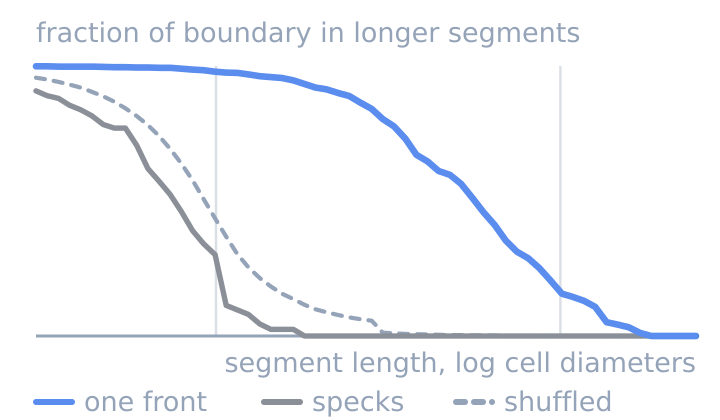
Whether two cell types meet along one front or in specks.
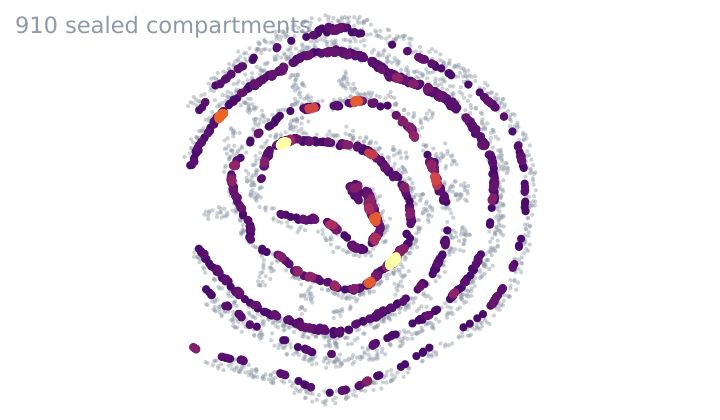
Which cells one cell type seals off from the rest of the tissue.