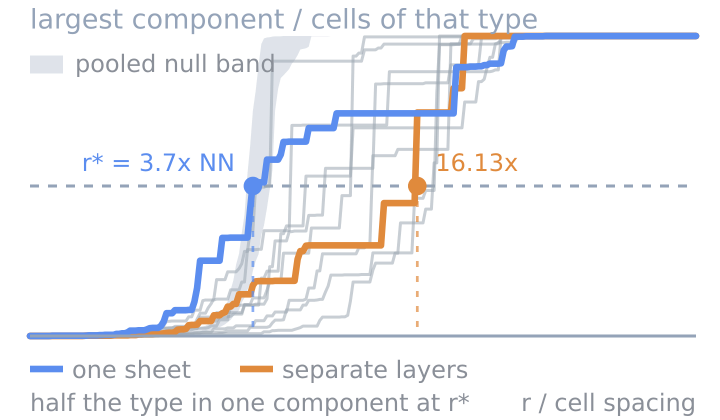
Cell-Type Percolation
Whether a cell type is one connected mass or many islands.
Verified: passed 9 of 9 gates
v1.0.0
4 downloads

by PointillViz community tools
Explore spatial contacts or shared membership between categorical annotations with count-weighted ribbons and enrichment colors.
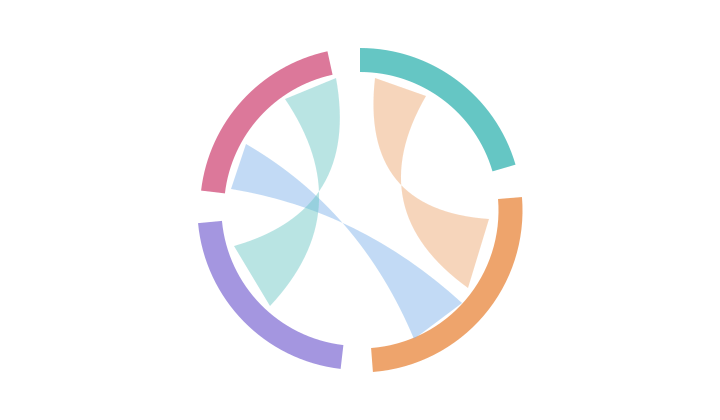
Answers the question: Which categorical groups occur together more or less often than expected?
The tool compares categorical annotations such as cell types, clusters, or spatial niches. It offers two analysis modes:
Spatial contacts counts pairs of cells from the same section that lie within the selected radius.Annotation relationships compares two categorical annotations assigned to the same cells, without using spatial coordinates.For each pair of groups and , the tool compares the observed count with the expected count :
The expectation is calculated from the group frequencies within each section. In annotation mode, . In spatial-contact mode, it represents the number of -to- pairs expected if the group labels were randomly redistributed over the observed cell positions. A score of indicates agreement with the expectation; positive values indicate enrichment and negative values depletion.
Chord. Each sector represents one group. Ribbon width shows the observed number of cells or spatial pairs connecting two groups, while ribbon color shows their score: orange indicates enrichment and blue depletion. The display limits affect only the chord diagram, which shows the most abundant groups and best-supported relationships.
Matrix. Both axes list the selected groups, and each square shows the corresponding score. The matrix retains all group combinations, including those omitted from the chord diagram.
Table. Each row represents one group pair. Count gives the observed number of cells or spatial pairs, Expected gives the expected count, and log2 O/E shows the enrichment or depletion.
| Parameter | Type | Default | What it does |
|---|---|---|---|
Relationshipmode |
select, 2 options | Spatial contacts | Selects whether to analyze spatial contacts between different cells or relationships between two annotations on the same cells. |
Grouping annotationfield |
categorical_field | — | Selects the categorical annotation used for the groups. In annotation mode, this is the first of the two annotations. |
Second annotationother_field |
categorical_field | optional | Selects the second annotation compared on the same cells. Used only for Annotation relationships. |
Contact radiusradius |
float, 1–1,000 | 60 | Sets the maximum distance between two cells for them to count as a spatial contact, in dataset coordinate units. Used only for Spatial contacts. |
Minimum ribbon supportmin_count |
int, 1–1,000 | 1 | Shows a ribbon only when the relationship contains at least this many observed cells or spatial pairs. |
Maximum sectorsmax_nodes |
int, 4–60 | 20 | Limits how many groups appear around the chord diagram to the most abundant ones. |
Maximum ribbonsmax_links |
int, 1–500 | 80 | Sets the maximum number of relationships shown, keeping those with the highest observed counts. |
Include within-group contactsself_links |
bool | off | Includes spatial contacts between cells belonging to the same group. Used only for Spatial contacts. |
The nine gates this version passed when it was published.
Passed 9 of 9 gates
bundle
pass
4 files, 5.0 kB packed and 11.9 kB unpacked, plugin.json at the root.
manifest
pass
categorical-chords 1.0.0 by PointillViz community tools; entry tool.py, outputs chord, matrix, table, summary, 180 s and 4096 MB budget.
entry
pass
tool.py imported in 0.40 s and defines run(ds, params).
imports advisory
pass
1 Python file, importing backend, numpy, scipy; no network, subprocess, filesystem-write, dynamic-exec or environment use found.
fixture
pass
ran on the 600-cell fixture in 0.47 s of its 180 s budget, returning summary, table, matrix, chord.
result
pass
returned the declared outputs: summary, table, matrix, chord.
determinism
pass
two runs with identical parameters produced byte-identical results (3.9 kB of JSON).
edge
pass
at the minimum corner (max_links=1, max_nodes=4, radius=1.0) it refused in words rather than crashing: No relationships pass these controls. Reduce minimum support, increase radius for contacts, or include self-links. (code: no_links); at the maximum corner (max_links=500, max_nodes=60, min_count=1000, mode='annotations', radius=1000.0, self_links=True) it refused in words rather than crashing: No relationships pass these controls. Reduce minimum support, increase radius for contacts, or include self-links. (code: no_links).
no_mutation
pass
the fixture dataset's 4 files are byte-identical after every run (plugin_cache/, where ds.knn caches, is excluded by design).
Passed every required gate when this version was published. That is a statement about the gates, not about whether the code is safe to run.
Whether a cell type is one connected mass or many islands.
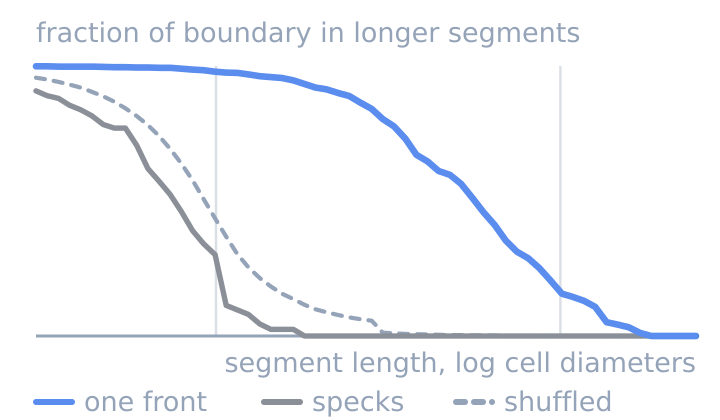
Whether two cell types meet along one front or in specks.
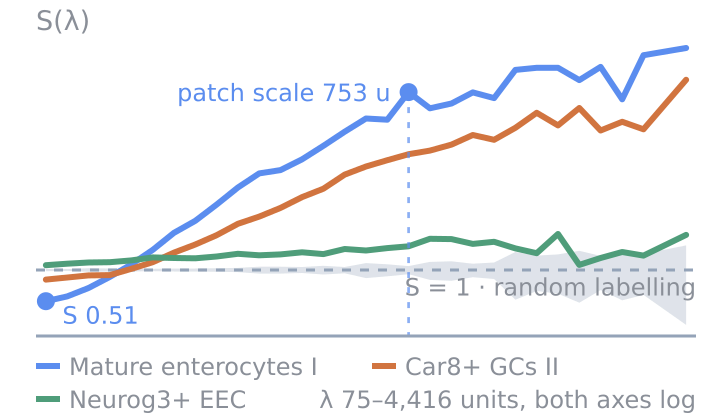
How clustered each cell type is, at every length scale.